· readers
AI for Plumbing and HVAC Business Owners: What Actually Saves Time
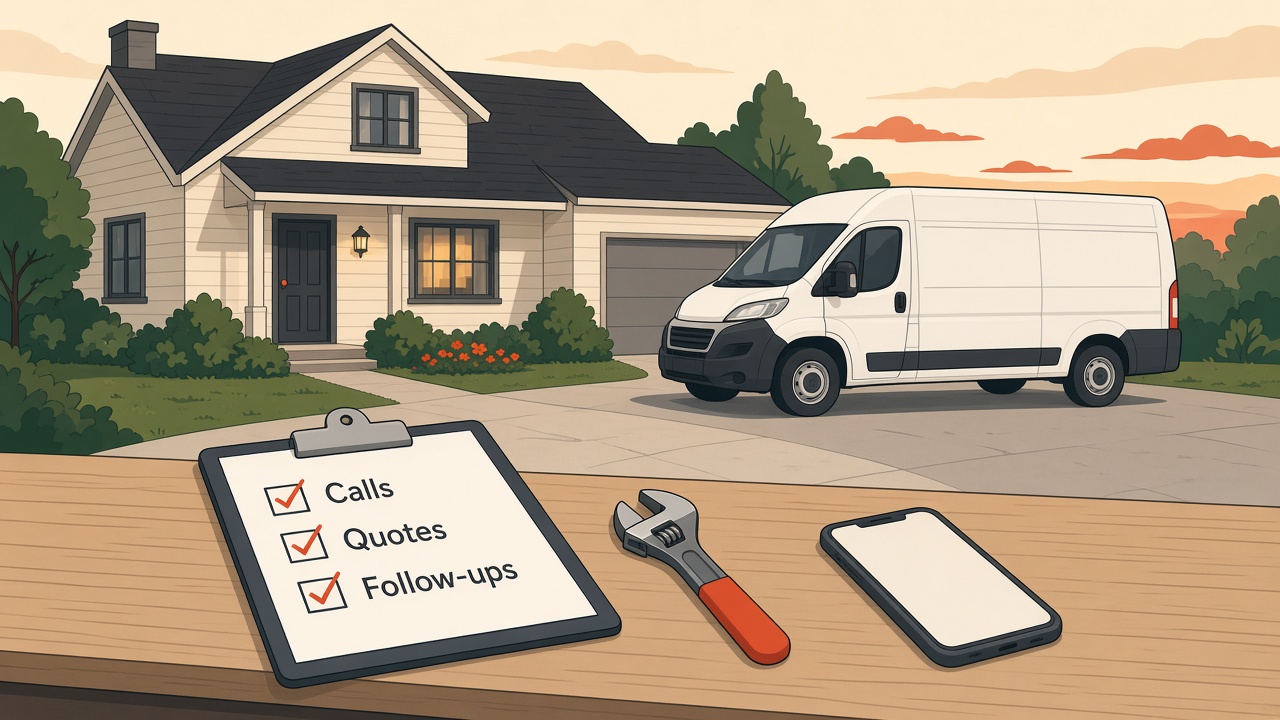
If you run a plumbing or HVAC business, your day probably looks like this. You're on a job, the phone rings, you can't answer it. You get home, there are three voicemails, two quotes to write and a customer who wants to know when you're coming back. The work itself isn't the problem. Everything around the work is.
That's exactly where AI helps. Not on the job site, and not by replacing anyone. It helps with the writing, sorting and remembering that eats your evenings. Here's where I'd start, in plain English, with tools you probably already have.
Where the time actually goes
Before you try any AI tool, think about the last week. Where did the hours go that weren't billable? For most trade owners, it's some mix of these:
- Returning calls and texts after a long day
- Writing up quotes and estimates
- Following up on quotes nobody answered
- Explaining the same things to customers over and over
- Scheduling, rescheduling and reminding
- Replying to reviews (or meaning to)
- Writing anything for the website or social media
None of this needs a license or a truck. It's office work, and most of it is writing, which is the thing AI is best at right now.
So the goal isn't "use AI." The goal is to get two or three of those jobs off your plate, or at least cut them in half.
Start with one thing: your fact sheet
Everything below works better if you do this first. Write one simple document about your business, in your own words:
- What you do and what you don't do (for example, "residential only, no commercial")
- Your service area
- Your hours and how emergencies work
- How you price things in general terms, like whether there's a trip charge or free estimates
- Your warranty and guarantee, exactly as you'd say it
- The questions customers ask you most, with your real answers
- A short note on tone, like "friendly, straight, no upselling"
This is the most important step, and it takes maybe 30 minutes. AI can't know your business. If you don't give it the facts, it guesses, and a guess in a quote or a customer text is a problem. With the fact sheet, it has something true to work from.
1. Turn your rough notes into clean quotes
Most trade owners know exactly what a job needs. The hard part is turning "replace 50 gal water heater, haul away old, new expansion tank, permit" into something a homeowner understands and feels good about.
Here's how AI helps with that:
- After the walkthrough, type or voice-record your notes, however messy they are.
- Paste them into an AI assistant along with your fact sheet.
- Ask it to "turn these notes into a clear quote description a homeowner can understand. Use only what's in my notes. Don't add prices or parts I didn't list."
- Read it, fix anything wrong and add your numbers yourself.
You keep the pricing and the judgment. AI just does the typing and makes it readable. A clear quote also tends to get fewer back-and-forth questions, because the customer can see what they're paying for.
2. Follow up on quotes without feeling pushy
A lot of quotes go out and then nothing happens. The customer got busy, got another quote, or just forgot. A short, friendly follow-up is often the difference, but nobody wants to write them at 9 PM.
Have AI draft a small set of follow-up messages you can reuse:
- A quick check-in a few days after the quote
- A second note a week or so later that answers a common question, like how long the job takes
- A last, no-pressure message that says the door is open whenever they're ready
Write these once, edit them until they sound like you, and save them. Then each follow-up takes a minute to personalize and send. If you use a scheduling or field service app that supports templates, put them there.
3. Answer the same questions faster
You've probably answered "do you charge for estimates?" and "how long will the water be off?" hundreds of times. Those answers don't change much, so let AI help you write them well once.
Ask your assistant to take the common questions from your fact sheet and write short, clear answers you can use in:
- Text replies to customers
- An FAQ page on your website
- A short email you send after booking, so customers know what to expect
That last one is underrated. A simple "here's what happens on the day of your appointment" message cuts down on calls, and it makes you look organized.
For emails, I wrote a full walkthrough on using AI to answer customer emails that works the same way for a trade business.
4. Catch up on calls and voicemails
This one depends on your setup. Some phone systems and apps can transcribe voicemails into text. If yours does, AI can help you sort them at the end of the day: which ones are emergencies, which ones want a quote and which ones are existing customers with a question.
Even without that, you can paste a list of messages into an AI assistant and ask it to sort them and draft short replies. You still decide who gets called back first and what you promise.
You'll also see a lot of companies selling AI receptionists and AI answering services to trades right now. They can be useful, but I'd start with the simpler steps here first. Know which calls you're missing and why before you hand your phone line to a tool. When you do look at one, ask exactly what it can say to customers, what it books on its own and how you review what it did.
5. Keep your reviews and Google profile current
For a local service business, your Google reviews and Google Business Profile do a lot of selling before anyone calls. AI makes both much easier to keep up with:
- Draft calm, personal replies to reviews, including the tough ones
- Write short profile updates about real jobs, seasonal tune-ups or holiday hours
- Refresh your business description so it matches what you actually do
I have step by step guides for replying to Google reviews with AI and keeping your Google Business Profile up to date.
What not to hand to AI
AI is a great office helper. It isn't a technician, and it doesn't know your business unless you tell it. Keep these with you:
- Pricing and final numbers. Let AI describe the work while you set the price.
- Technical and safety calls. Don't ask a chatbot whether a gas line or electrical issue is safe. That's your training and your license.
- Code and permit questions. Rules vary by city and state. Check with your local authority, not an AI answer.
- Promises to customers. Arrival times, warranties and guarantees should come from you, worded the way you'd stand behind them.
- Customer details. Be careful about pasting names, addresses and payment info into AI tools. Use only what the task needs.
The rule I'd give any owner: AI drafts, you approve. Nothing goes to a customer that you haven't read.
Do you need special software?
Not to start, since everything above works with a regular AI assistant plus your fact sheet. Many of them have free versions, which is plenty for trying this out.
If you already use field service or scheduling software, check whether it has AI features built in. Some do, and it's easier to use what's already in your workflow than to add another app.
Once you know which jobs AI is good at for you, then it makes sense to look at tools that do more on their own, and not before.
A simple first week
If this feels like a lot, don't do all of it. Try this plan instead:
- Day 1: Write your fact sheet in your own words.
- Day 2: Use AI to clean up one quote.
- Day 3: Write your three quote follow-up messages.
- Day 4: Draft answers to your five most common customer questions.
- Day 5: Look back at what saved time and what didn't.
Keep what works and drop what doesn't, because that's the whole process.
Frequently asked questions
Is AI worth it for a small plumbing or HVAC company? For the office side, usually yes. Quotes, follow-ups, customer questions and reviews are mostly writing, and that's where AI helps the most. Start small and judge it by the time it gives you back.
Will customers know I used AI? Not if you edit the drafts. Give AI your facts and your tone, then change anything that doesn't sound like you. The message should read like you wrote it on a good day.
What's the best AI for an HVAC business? There isn't one right answer. A general AI assistant covers most of what's in this post. If your scheduling or field service software has AI built in, that's worth trying too, since it already knows your jobs and customers.
Should I get an AI answering service? Maybe, but not first, so start by figuring out how many calls you're missing and why. Then compare tools on what they say to customers and how much control you keep.
Get your evenings back
You got into this trade to fix things, not to write quotes at the kitchen table. AI won't do the job for you, but it can take a real chunk of the office work off your plate.
If you'd like help setting this up for your business, that's what I do with Mugen Solutions. I run free, hands-on AI workshops for small business owners, built around your real tasks, not generic examples. Reach out here and tell me what's eating up your week.